
Most knowledge frameworks survive about ten minutes of contact with a large language model. PARA does better than that. Tiago Forte's four-folder method — Projects, Areas, Resources, Archives — happens to be the cleanest folder structure for an Obsidian vault that an AI coworker can read and write into. PARA was designed for human attention. The structural moves it makes for humans (organize by actionability, keep the tree shallow, archive aggressively) map onto how an LLM behaves inside someone else's knowledge system. The two needs converge in a way most knowledge frameworks do not.
This is a follow-up to last week's post on the stack itself, which covered the tools — Obsidian and Claude wired together via the filesystem MCP. The piece that post left out was the organizing method that sits on top of the tools. PARA is the method we recommend at NunnCurtis Labs, and the worked example in this post comes from Not Really Wines, our fictional demo winery — a public showcase brand we run specifically so we can show this kind of workflow without exposing real client information.
A 60-second tour of PARA, for the people who haven't run into it
Forte published the PARA method in 2017 and codified it in a book in 2023. The acronym stands for four top-level folders that hold everything in your knowledge system:
- Projects — short-term efforts with a specific outcome and a deadline. Audit DTC homepage for AI visibility by July 1.
- Areas — ongoing responsibilities with no end date. Wholesale relationships. The Society subscription program. DTC strategy.
- Resources — topics you want to learn or reference. Wine industry distribution. AI search algorithms. Non-alcoholic-category market research.
- Archives — anything from the first three that has gone dormant. Closed projects. Discontinued SKUs. Areas you've stepped away from.
The whole framework runs on a single insight that took Forte something like a decade to land on: most knowledge systems organize information by topic, but the question that actually matters when you sit down to work is how soon do I need this? PARA replaces "where does it live thematically?" with "how actionable is it right now?" It sounds like a small shift. The practical effect is large: a filing system that frees attention instead of consuming it.
If you want the canonical version, Forte's PARA explainer at Fortelabs is the source document. His own ten-minute video on YouTube covers the same ground in conversational form. It is embedded further down.
Why "organize by actionability" maps cleanly onto how LLMs work
This is the part that takes a while to articulate. An LLM working inside a vault is not searching the way a human searches. It is reading the directory tree, then reading the files it suspects matter. Two things determine whether that workflow is fast or slow.
One: how predictable the folder structure is. When Claude opens a vault for the first time and sees folders named Projects, Areas, Resources, Archives, it does not need to ask what is where. PARA's vocabulary is widely documented enough that the model has seen it thousands of times in training data. The model's prior for what should live in each folder is correct out of the box. That is not true for 01-stuff, inbox-final-v2, or Important-Read-First. Custom folder schemes that mean something only to you make the model guess every time.
Two: how clearly each file declares its own actionability. This is where PARA's central distinction between projects, areas, and resources earns its keep at the file level too. A note with frontmatter project: DTC-Audit, status: active, due: 2026-06-15 tells Claude exactly what kind of attention to give it: time-sensitive, deliverable-shaped, related to one named engagement. A note in Resources/wine-distribution/ tells Claude something different: reference material, no deadline, available for synthesis but not for action. The model uses that information to decide what to read, what to ignore, and what tone to write in.
Topic-based, tag-based, or chronological filing schemes don't give the model that handle. PARA does, almost as a side effect of how Forte designed it for human attention.
What this looks like in the Not Really Wines vault
The NRW vault — which we run as a public demo — is structured around a PARA core with a few practical extensions. Here is the top level:
/1_Projects/    — active, deadline-bound work (every project has a file here)
/2_Areas/       — brand, people, DTC, wholesale, ops — ongoing functions
/3_Resources/   — compliance, market intel, SEO reports, pulse archive
/4_Inbox/       — incoming items waiting for triage
/5_Calendar/    — week-at-a-glance by ISO week
/6_Skills/      — reusable Claude skills (brand voice reviewer, SEO auditor)
/7_Schedules/   — recurring task definitions
That is more than four folders. The first four are canonical PARA (with 4_Inbox substituted for Forte's Archives, which lives elsewhere — we archive by moving items inside Projects/Areas/Resources to dated subfolders). The other three — Calendar, Skills, Schedules — exist because an AI-coworker vault needs a few things Forte's original framework did not contemplate: a shared sense of time, a place to keep reusable skill files Claude can invoke, and a place to declare recurring jobs that run automatically.
Inside /1_Projects/ there is one folder per active engagement. For example, an active project for Maren Holloway (NRW's CEO) might look like:
/1_Projects/2026-Q2 — DTC homepage GEO audit/
  README.md
  ai-mode-pulls.md
  draft-audit.md
  recommendations.md
The README.md is the file Claude reads first. It contains the engagement's goal, the deliverables, the current status, who the stakeholders are, what has been decided, and what is open. Frontmatter at the top exposes those as structured fields:
---
project: DTC homepage GEO audit
status: active
started: 2026-04-22
due: 2026-06-15
owner: Maren Holloway
contributors: [Priya Sandhu]
related-areas: [DTC Strategy, AI Search]
---
When Maren asks Claude where are we on the DTC audit?, the model reads that README, pulls the related files in the project folder by name, and answers in two sentences. When the audit closes, the whole folder moves to an Archived/ subfolder under Projects in one drag. Forte calls that step project archive; in practice it is the most underrated habit in the entire framework. It lets the model know, without being told, that this engagement is no longer the right context for new questions.
Where Claude treats each PARA folder differently
This is the practical payoff, and the reason the framework is worth the small overhead of running it.
Projects: primary working context. When you open a session inside a project folder, the assumption is that you are doing the work of that project — drafting the audit, writing the follow-up email, synthesizing the strategy call. Anything Claude generates inside a Projects folder defaults to deliverable-shaped output.
Areas: standing references. An Areas note represents an ongoing function — DTC strategy, wholesale relationships, hospitality operations, compliance. When Claude pulls context from an Areas folder, it is reading the current state of a continuing responsibility, not a deliverable. The output is updates, decisions, or open questions, not drafts for an external audience.
Resources: raw material. A note in Resources is fair game for synthesis but does not represent a commitment. If you ask Claude to draft a piece on AI Mode visibility, it pulls heavily from Resources/AI-Search/, lightly from Areas/Content-Pipeline/, and not at all from Projects/ unless a project genuinely informs the piece. The folder structure enforces that separation. You do not have to ask the model nicely.
Archives: read-only history. Closed engagements stay searchable. They almost never inform new drafts unless explicitly pointed at. This is the rule that prevents the model from confidently quoting from a project closed eighteen months earlier, when the client's situation has since changed.
None of this taxonomy needs to be taught to Claude. PARA is well-represented in training data. The first time a vault gets opened, the model's behavior matches the framework's logic without coaching — usually within fifteen minutes of working inside it.
A worked example, using Not Really Wines
To make this concrete, here is what a single piece of work looks like across the four folders for NRW. Picture the team — Maren Holloway and Priya Sandhu (Director of DTC) — asking Claude to draft a GEO audit of the NRW DTC homepage, because Maren has noticed the brand isn't showing up in AI Mode answers to "non-alcoholic wine Sonoma."
The audit project lives in /1_Projects/2026-Q2 — DTC homepage GEO audit/. That folder holds the engagement README, Priya's notes from two working sessions, screenshots of six AI Mode searches the team cares about, a current-state scorecard, and a draft of the audit itself. When Claude is opened inside that folder and asked to write the Findings section, it pulls the screenshots and the session notes first, the scorecard rubric second, and produces a draft Maren can edit rather than rewrite. Nothing outside the project folder needs to be opened. The project's context is self-contained, which is exactly what Projects is supposed to do.
For the Recommendations section, Claude is also asked to read /2_Areas/AI Search/ and /2_Areas/DTC Strategy/. Those Areas hold NRW's standing methodology — what they have already tried, what worked, what their constraints are (bootstrapped budget, compliance language, pre-Series A reality). Pulling from Areas keeps the recommendations grounded in NRW's actual operating context, not in generic LLM advice for wineries.
For the Background section — the part that briefly explains GEO for anyone on the team who isn't deep in it — Claude pulls from /3_Resources/SEO Reports/ and /3_Resources/Market Intel/. Those are reference folders. The model treats their contents as raw material for a clean explanatory section, not as commitments or context for NRW specifically.
If a Prior Audits sidebar is useful — referencing how NRW handled an earlier round of SEO work — Claude has to be pointed at the archived folder explicitly. Archives are read-only history; they stay out of the working context unless asked for.
Four folders, four different relationships to the active draft. None of it requires prompt engineering. The folder hierarchy does the work that a long system prompt would otherwise have to do.
Watch Tiago explain it himself
If you have not encountered PARA before, Forte's own ten-minute explainer is the most efficient introduction. His framing of organize by actionability clicks faster watching it than reading about it. The video covers the four folders, the philosophy behind them, and a few worked examples:
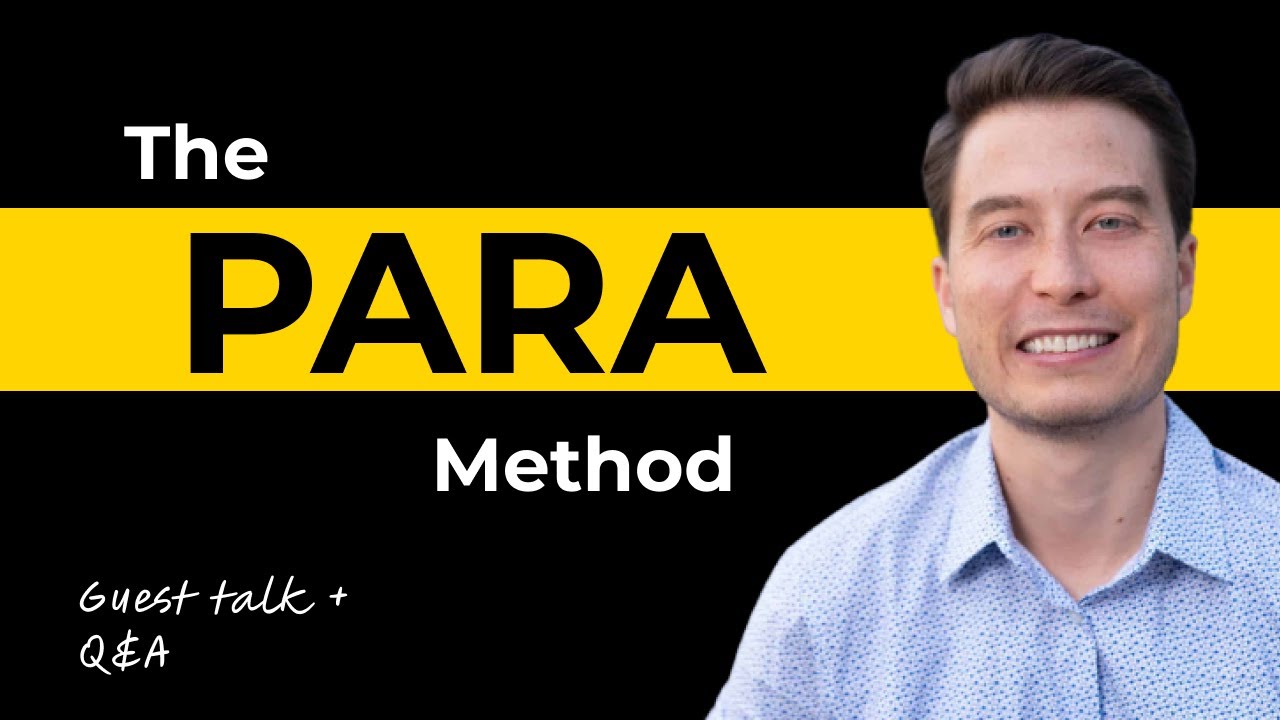
The full course Forte sells, Building a Second Brain, goes much deeper into capture and synthesis habits. For most people running an Obsidian vault with an AI coworker, the ten-minute video is enough to set up. The book — The PARA Method: Simplify, Organize, and Master Your Digital Life — is the canonical written reference for the long form.
Where canonical PARA bends in practice
A few honest adjustments to Forte's original PARA are worth making for an AI-coworker vault:
Keep
ProjectsandAreasheavily structured. LetResourcesstay messy. Forte's discipline-heavy version of PARA wants every file in every folder to be well-named and well-tagged. Resources is where things get dumped before anyone knows what to do with them. Trying to maintain it perfectly is a tax that does not pay off. Claude reads a messy Resources folder fine, as long as the folder name itself is meaningful.Add an Inbox folder ahead of PARA, GTD-style. Capture into one place, sort later. NRW uses
4_Inbox/for this. Anything that sits there for more than a week gets surfaced for triage.Add a Skills folder if the vault hosts reusable Claude skills. NRW keeps
6_Skills/for a Brand Voice Reviewer and an SEO-GEO Auditor that the team invokes by name during drafting. This is a working pattern for any team using Claude as a coworker; it does not fit cleanly into Projects, Areas, or Resources.Version Areas README files with their last-reviewed date. Areas don't have due dates, which is part of what defines them as Areas, but they still decay. A wholesale-strategy Area written a year ago doesn't always reflect what the team does today. Tagging the last review date in frontmatter lets Claude flag stale Areas on a quarterly cadence.
None of these are radical departures. They are the kind of small adjustments that come from running the system for real instead of writing about it.
What this means if you are setting up a vault from scratch
If you are about to build an Obsidian vault that you want Claude or another LLM to work alongside you in, three habits compound:
Pick PARA as the top-level folder structure on day one. The four folders are widely known enough that any tool you wire in will understand them. Steph Ango, the CEO of Obsidian, runs a similar structure himself and has written about why he keeps it simple.
Put a frontmatter block at the top of every important note. Status, dates, related areas, stakeholders. The model reads frontmatter first. It is the single highest-leverage habit in the whole stack.
Archive aggressively. Closed projects move. Areas that no longer apply move. Resources you stopped caring about move. The model gets faster and more accurate when there is less noise in the active folders, and you lose nothing because Archives stays searchable.
Closing
Most workflow frameworks read like productivity theater. PARA survives because the cost of running it is approximately zero (four folders and a habit of moving things) and the payoff compounds every month. Adding an AI coworker into the vault is the moment that compounding becomes visible. The folders Forte designed for human attention turn out to be the same folders an LLM needs to behave well inside someone else's knowledge system. That is not the kind of accident that happens often.
If you run a winery and want to talk about what a PARA-and-Claude setup might look like inside your business — for institutional memory, harvest notes, distributor history, marketing assets — that is the work we do at NunnCurtis Labs.
Resources
- The PARA Method — Tiago Forte's canonical written explanation
- Tiago Forte's PARA video on YouTube — the ten-minute spoken version, embedded above
- The PARA Method (book) — Atria Books, 2023
- Building a Second Brain — Forte's full course, which sits above PARA in his framework stack
- PARA Starter Kit on the Obsidian Forum — community starter vault template
- How I Use Obsidian — Steph Ango's vault writeup; Ango is the CEO of Obsidian
- PARA Method in Obsidian — practical setup walkthrough on Obsidian Observer
- How I Turned PARA Into an AI Productivity OS with Claude Code and Obsidian — a longer Claude Code + Obsidian + PARA writeup, complementary to this post
- Not Really Wines — NunnCurtis Labs' fictional demo winery, used throughout this post as the worked example
- Previous post: Why I Run My Consulting Practice on Obsidian and Claude — the stack context for this method post